
WinForms hosting
WinFormsControlHost<T> keeps a Windows Forms control alive when its Avalonia view is temporarily detached. This lets controls retain their state across tab changes. The owning view model explicitly disposes the control when it is permanently closed.
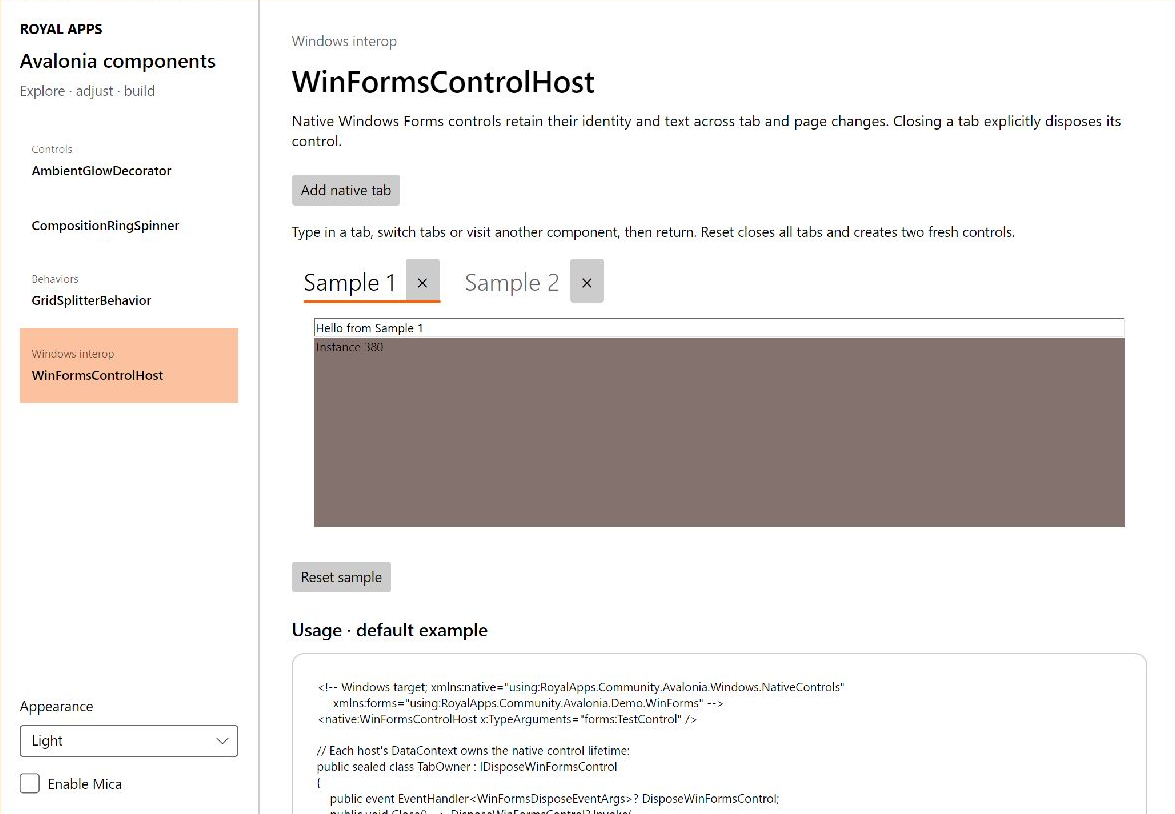
The WinFormsControlHost page in the component demo gives each tab a control with a text box, an instance identifier, and a background color. Switching tabs preserves those values.
Watch state survive tab changes
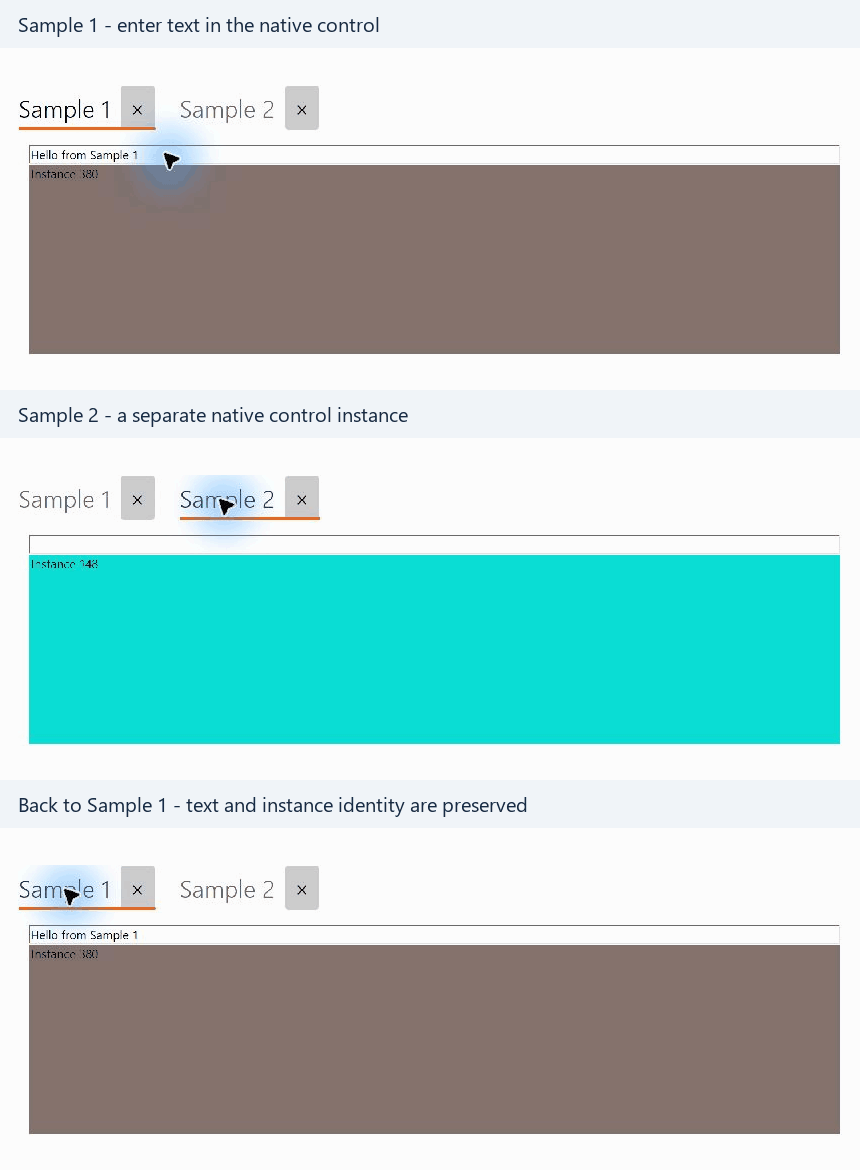
Switching to Sample 2 and back preserves the text, background color, and instance identifier of Sample 1.
Installation
Add the package to your Windows application project:
dotnet add package RoyalApps.Community.Avalonia.WindowsSee getting started for target framework and Windows Forms settings.
Add the host
Declare the native-control namespace and the type of Windows Forms control to host. This example uses the sample application's TestControl:
<UserControl xmlns="https://github.com/avaloniaui"
             xmlns:x="http://schemas.microsoft.com/winfx/2006/xaml"
             xmlns:winForms="clr-namespace:RoyalApps.Community.Avalonia.Demo.WinForms;assembly=RoyalApps.Community.Avalonia.Demo.WinForms"
             xmlns:nativeControls="clr-namespace:RoyalApps.Community.Avalonia.Windows.NativeControls;assembly=RoyalApps.Community.Avalonia.Windows"
             x:Class="RoyalApps.Community.Avalonia.Demo.Views.TestView">
    <nativeControls:WinFormsControlHost x:TypeArguments="winForms:TestControl" />
</UserControl>
x:TypeArguments supplies the generic argument to WinFormsControlHost<T>. By default, the host creates that type using its parameterless constructor. The data context must implement IDisposeWinFormsControl before native control creation; otherwise hosting throws InvalidOperationException.
Configure creation
For custom initialization, derive a dedicated host and override its factory. For example, a host for a Windows Forms text box can set its initial properties without a view event handler:
using System.Windows.Forms;
using RoyalApps.Community.Avalonia.Windows.NativeControls;

public sealed class TextBoxHost : WinFormsControlHost<TextBox>
{
    protected override TextBox OnCreateWinFormsControl() => new TextBox
    {
        Multiline = true
    };
}
Use this concrete host type in XAML instead of the generic host. Its Control property provides access to the registered instance after creation.
Manage the lifetime
Implement the disposal contract on the host's data context. This minimal owner shows the required event; connect Close to your application's existing tab-close command:
using System;
using RoyalApps.Community.Avalonia.Windows.NativeControls;

public sealed class TabOwner : IDisposeWinFormsControl
{
    public event EventHandler<WinFormsDisposeEventArgs>? DisposeWinFormsControl;

    public void Close()
    {
        DisposeWinFormsControl?.Invoke(this, new WinFormsDisposeEventArgs(this));
    }
}
Pass the same owner instance in WinFormsDisposeEventArgs that the host uses as its data context. Raise the event when the owner is permanently closed, not when a tab is temporarily hidden.
How it works
The internal lifetime manager stores the hosted control and its persistent container by data context. View detachment releases the temporary native host while retaining the persistent control. Reattachment reuses that control for the same owner.
The disposal event removes the manager's subscription and registrations and disposes the persistent container and its child control. Omitting this event leaves the owner and native control retained.
The owner is used as a dictionary key. Keep its equality and hash-code behavior stable while it owns a control, and avoid giving distinct owners equal dictionary identities.