
GridSplitter behavior
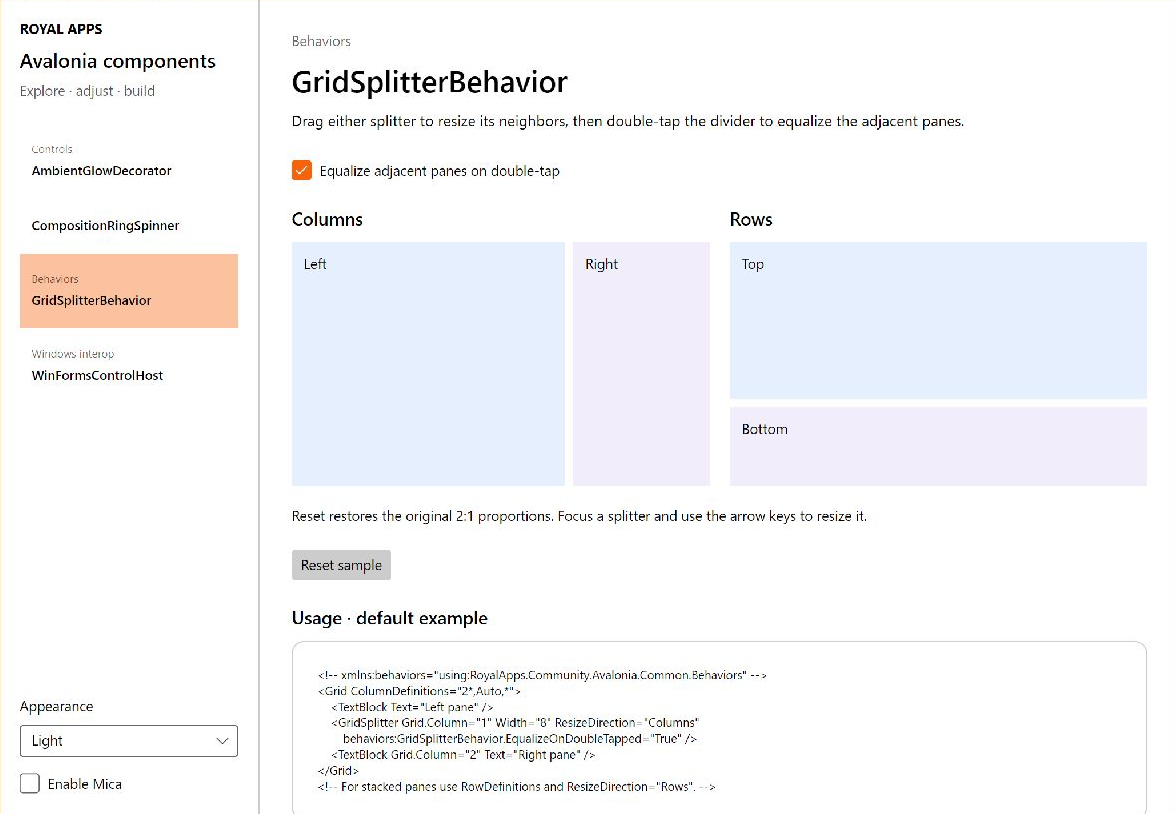
Watch the resize and reset demonstration
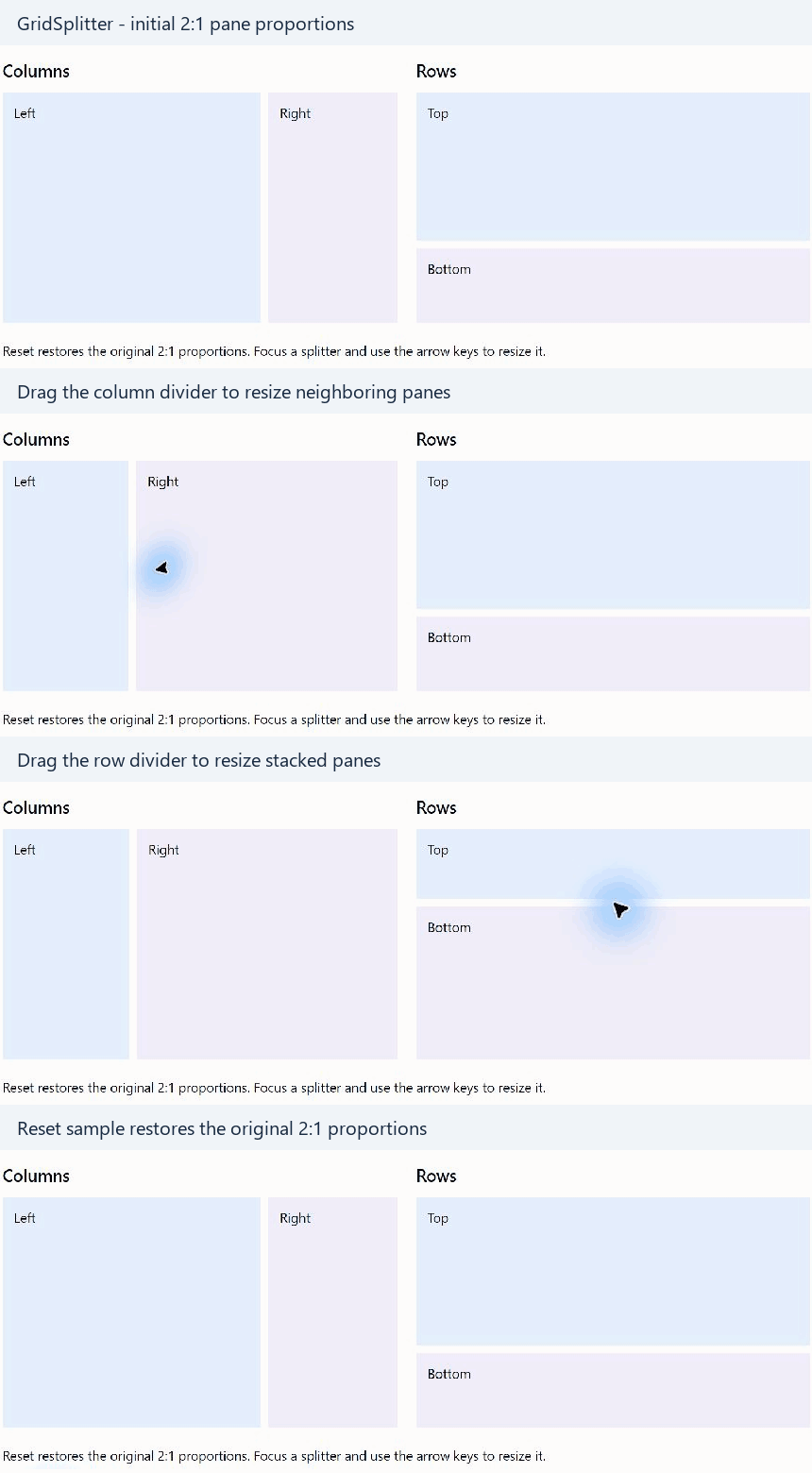
This recording shows dragging both dividers and using Reset sample to restore the initial 2:1 proportions. Double-tap equalization is described below.
Add the behavior namespace to your XAML and opt in on an individual GridSplitter:
<Grid xmlns="https://github.com/avaloniaui"
      xmlns:behaviors="clr-namespace:RoyalApps.Community.Avalonia.Common.Behaviors;assembly=RoyalApps.Community.Avalonia.Common"
      ColumnDefinitions="*,Auto,*">
    <GridSplitter
        Grid.Column="1"
        behaviors:GridSplitterBehavior.EqualizeOnDoubleTapped="True"
        ResizeDirection="Columns"
        ResizeBehavior="PreviousAndNext" />
</Grid>
The behavior restores the two definitions selected by the splitter to an equal 50/50 allocation. Both definitions must use star sizing. Pixel-sized and Auto definitions are left unchanged, and minimum and maximum constraints are respected.
Use ResizeDirection="Rows" for horizontal splitters between rows. The behavior uses the splitter's ResizeBehavior to select the definitions; set it explicitly when the intended pair matters. Disabling EqualizeOnDoubleTapped removes the double-tap handler.
See the API reference for the attached property and accessors.